


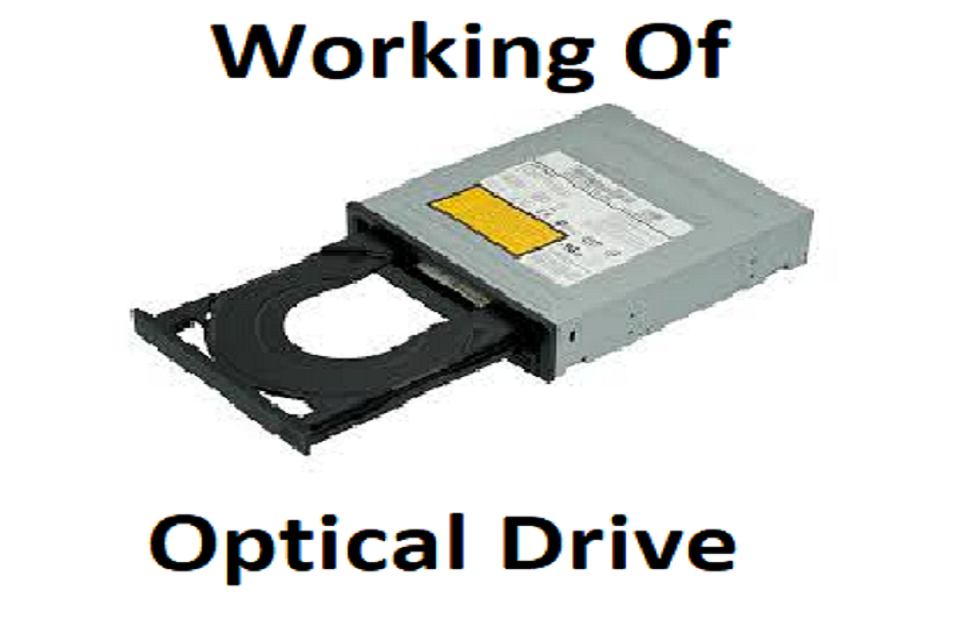
Today you will learn how every single piece of Optical drive actually works. Optical drive has to be a drive that can either read laser discs, compact discs, digital video discs, Blu-ray discs. It can contain music data even video for an alternate amount of time depending on how much space your CDs can have i.e.; 640 or seven hundred Meg’s depending on how much you’re willing to spend. DVDs can have 4.7 gigabytes (GB) of space or more you can like 9 gigas. If you’re looking at blu-rays, it can either be in 25 gigs, single layer 50 gigs, dual layer or 100 gigs. For triple layer Blu-ray discs most people don’t think about this but DVDs CDs do not operate in the same formats.
They have their own format, known as Joliet or ISO9660, which is a special format for optical media like CDs or DVDs. This format allows all computers—whether Mac, Windows, or Linux—to read the disc, while Blu-rays use a different laser and require their own architecture to be read. Blu-ray discs actually use the universal disk format UDF 2.50 also known as ISO 13346. Don’t know what ISO means? It’s the International Standards Organization. This body is responsible for setting the rules on how these formats are laid out.
How do optical drives work?
So first we should remember you’ve got three different types of optical drives. You have the tray, which has a spring and a latch. You press a button to open it, and it doesn’t require any rotors—only the rotors and a servo inside are needed to spin and read the disc. And you got your slot kinds which many people with PS3 will actually know about and even laptops those require rotors to push and pull on the discs inside the computer and then of course we’ve got these ones that have a tray that has a single rotor that pushes on gears that allows it to go in and out fun fact.
If you don’t have any power on this or your computers closed you can’t get this one open and this is why so looking at the top. We’ve got the drive servo the one that allows the disc to spin and the laser which can move freely thing is normally when the doors closed they’re above the tray line supporting the disc. Already if you try to open a disc drive with them above you would break to get the drive open you have to use a paperclip or a special tool specifically designed for it to press on a small latch that’s simultaneously. So simultaneously, drops the laser and drive rotor and gets the door open then you can actually just pull one drive. And get your disk out now to explain the various aspects of the optical media drive.
Understanding the Inner Workings of Optical Drives
So, we now know that this is the rotor that allows it to spin but what most people don’t know is the earliest models of the optical drive. That had a variable speed motor which is something that hard drives did not have. Reason they did that is because they wanted the same speed of the same amount of bit rate coming from the inside of the disc and the outside of the disc so that the end disc actually spins slower. At that time, the closer got to the middle rotor that allows for a constant bit rate during streaming of music.
After they removed that and inserted the buffer, they could keep the rotor spinning at a constant speed. This isn’t the only rotor in the drive. The drive rotor moves the laser back and forth. It has grooves underneath that allow it to follow the tracks on the disc. Since discs are never perfectly flat and the tracks are not always burned exactly where they should be, the rotor compensates for these imperfections.
Technology of Optical Drives
They inserted other technology in here to allow the drive to actually read the media the laser itself is capable of focusing by going in and out it can go up hold on, up and down to actually capture the track of interest. Therefore, if the disc moves or the track is not printed or pressed correctly. The drive can correct it on the fly and read the correct data at the right time. The controller manages all of this, keeping track of which track the laser is on. PCB (printed circuit board) on the back not that much technology in it but it allows the computer the interface anyway to actually figure out where on a disk it is.
Blu-ray Media-
What track it’s on? how to focus on the disk and all of this in near real-time you can barely notice that the laser itself combined with the spinning rotor. And the drive that allows it to go in and out and move across the disk actually allows this to actually work it just works. However, a few details set them apart that most people won’t notice. For example, only CDs and DVDs use a single laser.
Blu-ray drives require two distinct lasers to be backwards compatible so a backwards compatible Blu-ray player has this normal red laser. And, in the position, right side it would have a blue violet colored blazer that allows it to read Blu-ray media or write blue mate.
Conclusion
Blu-ray media is going to happen to the optical drive that’s basically which is going to happen in the near future and in the far future well first of all what do you think happens to one of these drives win the optical disc brakes. PCBs are basically cardboard. Most of that cabling wouldn’t survive and even the outside chassis is normally a cheap aluminum so spinning fast enough the optical media could actually cause quite a bit of damage. In this case instead of taking on a drive it will take out the entire device also.