


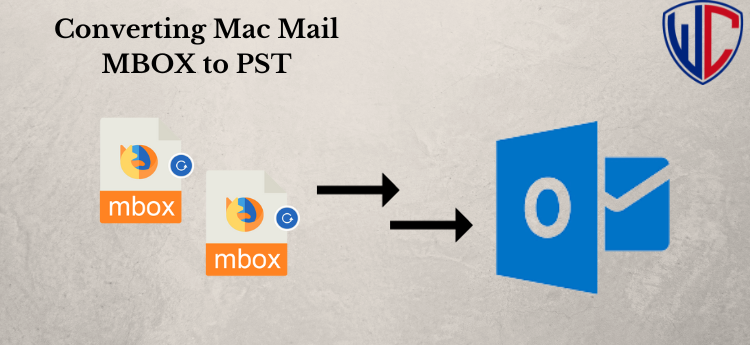
Summary: Are you looking for a way to migrate your MBOX files to Outlook? While MBOX-based email clients like Thunderbird and Apple Mail are popular, Outlook offers advanced features and better compatibility. This article discusses the reasons for choosing Outlook over MBOX and provides a step-by-step guide on how to move your MBOX to Outlook 2019, 2016, and other editions.
Why is Microsoft Outlook preferred over MBOX?
- Advanced Format: Outlook uses the PST file format, which stores data in a structured manner, while MBOX keeps emails as plain text in a sequential format.
- Enhanced Security and Control: Outlook provides better security features and more control over attachments and emails.
- PST Supports Multiple Data Types: Unlike MBOX, Outlook’s PST format is ideal for messages, emails, contacts, calendars, notes, tasks, and more.
- Exchange Compatibility: Outlook 2016 supports Exchange accounts, allowing you to work offline with Microsoft Outlook.
These advantages drive many users to move from MBOX to PST for Windows Outlook. Now, let’s explore how to solve the problem of “how can I move my MBOX to Outlook” for various Outlook versions.
How Can I Move My MBOX to Outlook Using the Manual Method?
There is no direct way to transfer MBOX files to Windows Outlook PST. However, you can use Mozilla Thunderbird as an intermediary. Here are the steps for this manual conversion process:
Step 1: Configure Mozilla Thunderbird with Gmail
- Open Mozilla Thunderbird and go to Accounts. Create a new account. Select Email.
- Choose “Skip this and use the existing email.”
- Enter your name, address, and password, and click “Continue.”
- Select the IMAP configuration and click “Done.”
- Start moving emails from Thunderbird’s MBOX mailbox to your Gmail account.
- Next, set up your Gmail account in Microsoft Outlook.
- Open MS Outlook, go to the File tab, and choose “Add Account.”
- Enter the required credentials and click “Next.”
- Once configured, you can drag and drop the emails from MBOX to PST format in Outlook.
Drawbacks of the Manual Method:
- Time-consuming process.
- Requires technical expertise.
- Gmail ID is mandatory.
- There is a higher risk of data loss and damage during conversion.
A Proficient Method for Converting MBOX to PST in Outlook 2019, 2016, and 2013
For a hassle-free MBOX to PST conversion for Outlook 2019, 2016, or any earlier edition, consider using a reliable software-based utility like WholeClear MBOX to PST Converter. Download and run the software, and follow a few simple steps to migrate from MBOX to PST. This powerful tool can handle single or multiple MBOX mailboxes and supports conversion to Outlook PST file format.
Steps to use the Software:
- Launch the WholeClear MBOX to PST Converter Program on your Windows workstation.
- Start the application, then choose the MBOX emails that need to be converted.
- Examine the file after the selected MBOX emails before to initiating the conversion process.
- Choose PST as the format.
- Select Path to store a new PST file.
- To start converting MBOX emails to Outlook PST format, click “Convert Now.”
Final Word by Author Pen,
Whether you want to move your mailbox data from MBOX to PST for any reason, the manual method is not straightforward. It requires technical knowledge and can pose risks. For convenience and security, consider using WholeClear MBOX Converter, which supports all MBOX file variants and allows you to import any kind of MBOX file into Outlook PST for any Outlook edition.