


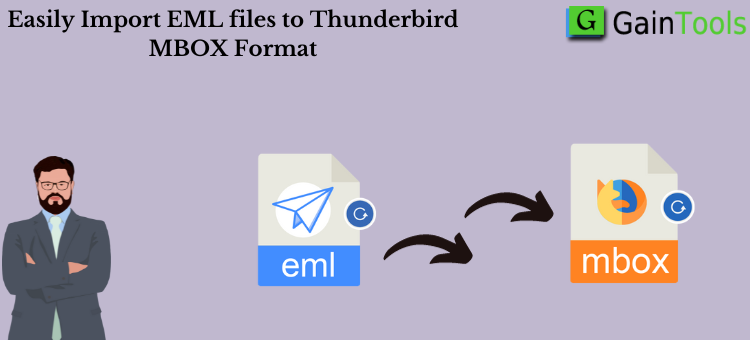
Introduction: It seems to be the best option for converting MBOX files from Microsoft Live Mail. This is because Windows Live Mail is a dated program, even though other accounts—including Thunderbird, SeaMonkey, and others—support MBOX files.
How can I Manually Convert Emails from Windows Live Mail to MBOX files?
Step 1: Export emails from Windows Live Mail to OE EML files.
- To log in, open Windows Live Mail. From the File menu, choose Mail, then Options, and lastly Mail.
- Click the Maintenance option after selecting the Advanced tab.
- To open the Store Folder, click its icon.
- The entire path of your message is displayed here, so you can copy and paste it.
- Now, if you follow the instructions and go to the folder containing OE EML files, you will see that all correspondence is stored in the OE EML format. It will become evident when you access that folder.
- Once you have discovered all of the OE EML files, it is time to import them into the Thunderbird program.
Now that you have exported every OE EML file from Windows Live Mail, you are ready to go on. It’s time to open Thunderbird and import all of these OE EML files so that MBOX files can be made. Consequently, to convert Windows Live Mail to MBOX format, you must first install the Thunderbird email program on your computer.
Step Two: Transfer OE EML Files to a Thunderbird Account
- Make a new folder to store the OE EML files in.
- Using the right mouse button, click the just-created folder.
- To import all messages from a directory, just choose the directory and then select it from the ImportExportTools menu by clicking on it.
- On the desktop of your computer, look for the “OE EML files” folder.
- Make sure every folder in the directory has been selected.
- Every single message will be imported, along with the folder structure that goes with it.
The aforementioned folder will be created in MBOX format when all OE EML files have been successfully imported into Thunderbird. You can now export that folder from within your Thunderbird account to obtain your MBOX files in all of their various formats.
Thus, this is the first method of converting Windows Live Mail emails to MBOX format. But the process is laborious and requires not only the completion of other chores but also the employment of a separate client.
Therefore, you might want to look at the following approach instead of the manual way if you find it complicated to move Windows Live Mail folders to MBOX: To convert WLM to MBOX, you just need to follow a few basic steps. It is incredibly straightforward to use. You can find this tactic if you conduct an internet search.
Automatic & Quick Methods to Convert OE EML Files to the MBOX Format
Multiple Windows Live Mail messages can be converted to MBOX format using the GainTools EML to MBOX Converter. It also provides a concise and understandable explanation of the actions that must be taken to complete the task. Reading them will help you better grasp how the program works, so we highly suggest it.
Learn About a Few Features of the Automated Method:
- Conversion Capacity: This program allows you to convert Windows Live Mail emails to MBOX in bulk. Because there are no limits on the number of files that can be converted at once by the software, users are free to convert as many files as they need.
- Analyse Function: Users can look through their Windows Live Mail files with the program’s preview option. Before converting, you can inspect the emails and attachments contained in the Windows Live Mail files in this section of the program.
- Many Preview Modes: With the help of this feature, you can examine Windows Live Mail files in several ways. It is advantageous when doing a forensic analysis on Windows Live Mail files. You can review emails in both hex and raw formats using this program.
- Use the search option to find specific emails or attachments received from a certain address or during a particular time frame. Use the tool’s search box to access the functionality.
- Final Migration: This option allows you to import Windows Live Mail email messages into MBOX without losing any data. It is possible to convert contacts and attachments to the MBOX format.
- Select Your Migration: This approach allows users to send Windows Live Mail messages to MBOX regularly by using the folder selection option. It is totally up to you which folders are changed and which are left undisturbed.