


If you are one of the frequent users of PDF documents but somehow encounter a PDF and wonder “Why I Can’t Highlight Text In PDF” . this creates a hindrance in the process of reviewing and analyzing the information because it is a very basic feature of the PDF.
Most of the time when users are not allowed to highlight their PDFs they search for how to enable highlighting in PDF and look for the same way to enable this feature of the PDF.
The highlight feature was designed to preserve the layout and formatting of a document in an ideal way for sharing documents that need to be viewed and printed exactly as they were intended.
Basic Reasons “Why I Can’t Highlight Text In PDF”
Try out these basic tricks to get over it:-
- The PDF may be a scanned image or not created as a text-based document.
- Possibly that may be password-protected or restricted from editing.
- If a PDF is opened in software that does not support text highlighting.
- See if your PDF is corrupted or damaged, preventing text highlighting.
- Your PDF is in a read-only mode and prevents any editing or highlighting.
Solve the dispute “Why I Can’t Highlight Text In PDF”
You can use these ultimate methods to easily unlock PDF file free because these methods are safely tested and tried so don’t worry about your data confidentiality and let’s try one:-
Use Microsoft Word to Unlock PDF Free
This time, we’ll use Word to convert the PDF to Word so you get over with “why can’t i highlight text in Word”
Convert your PDF to the world with using these steps:-
- Open the file in World, File>Open
- Wait some time until the World converts documents by itself.
- Then edit functions will be enabled automatically once it converts which was disabled before in the PDF.
Use Google Drive to Unlock PDF Files Free
Google Docs may be created from PDF files using Google Drive. You can extract data from a picture using with OCR feature. The procedures to convert a PDF file to a Word document are as follows.
- “Open Google Drive with your credentials”.
- Click and “drag the PDF file” in the file browser or click on New > then Upload a file to navigate to the file you want to upload.
- Once the file has been uploaded successfully, it will be available in your documents.
- Click on the PDF file that you uploaded recently Open with>Google Docs.
- Google Drive converts documents automatically.
Online Third-Party Apps
Use these too to highlight text in PDF free and they work for free and offer additional capabilities, and enable speedy editing
Features will be provided:-
- You can “change, edit, or write” text.
- Option to “add or remove your signature”.
- Can “convert PDF” into black and white.
- Review it by print tests and functions to change the page order, and more.
PDF Table Extraction Tools
If you want to extract table data from your PDF this tool will be really helpful because PDF converters like online software sometimes fail to do it accurately, fortunately, table extraction can be of great help there are some of the table extraction tools are tabula, PdfTables, Docparser, Camelot, Excalibur.
Remove Once Find PDF Security Password Automatically
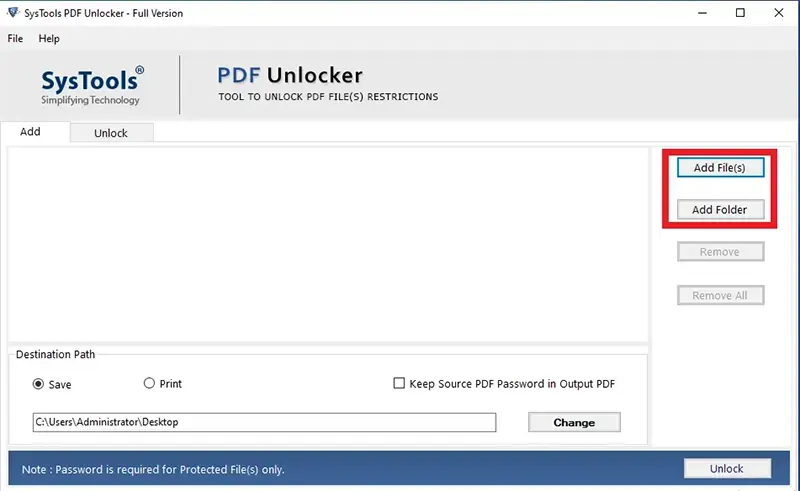
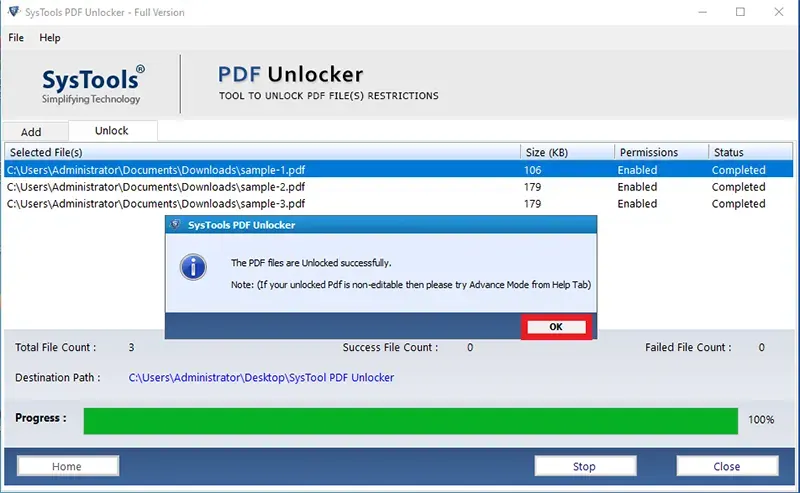
This tool helps to find the password for a locked PDF and open it. It works automatically to save an unlocked PDF and so on the desktop or browse a preferred location. this SysTools’s PDF Unlocker utility helps to maintain folder structure intact in output unlocked PDFs. And maintain attachments and PDF controls intact after unlocking.
Step 1. After launching the program, select the “Add Files or Add Folder” option.

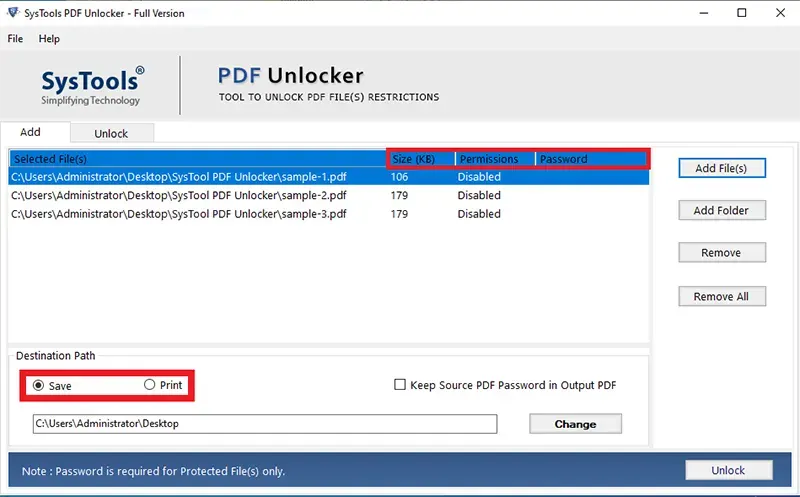
Step 2. Select one option between “save or print”.

Step 3. Then select the destination path and click on the “Unlock” button.

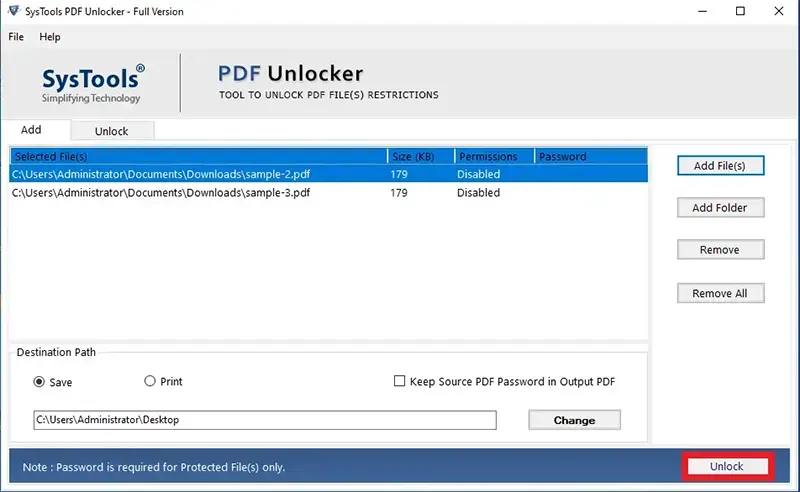
Step 4. Successfully Find the PDF password and open it accurately.

Conclusion
This question “Why I can’t highlight text in PDF” is a frustrating question that creates limitations for users to make changes to it and causes a hindrance in reviewing and analyzing information. The highlight feature creates an effective presentation of the document but if PDF has implied security, no one can make it possible without removing it.
But with the help of this article, you will get to know effective workarounds and alternative methods to remove it appropriately because the lack of a consistent and reliable highlighting feature in PDF documents remains a significant drawback for users.