


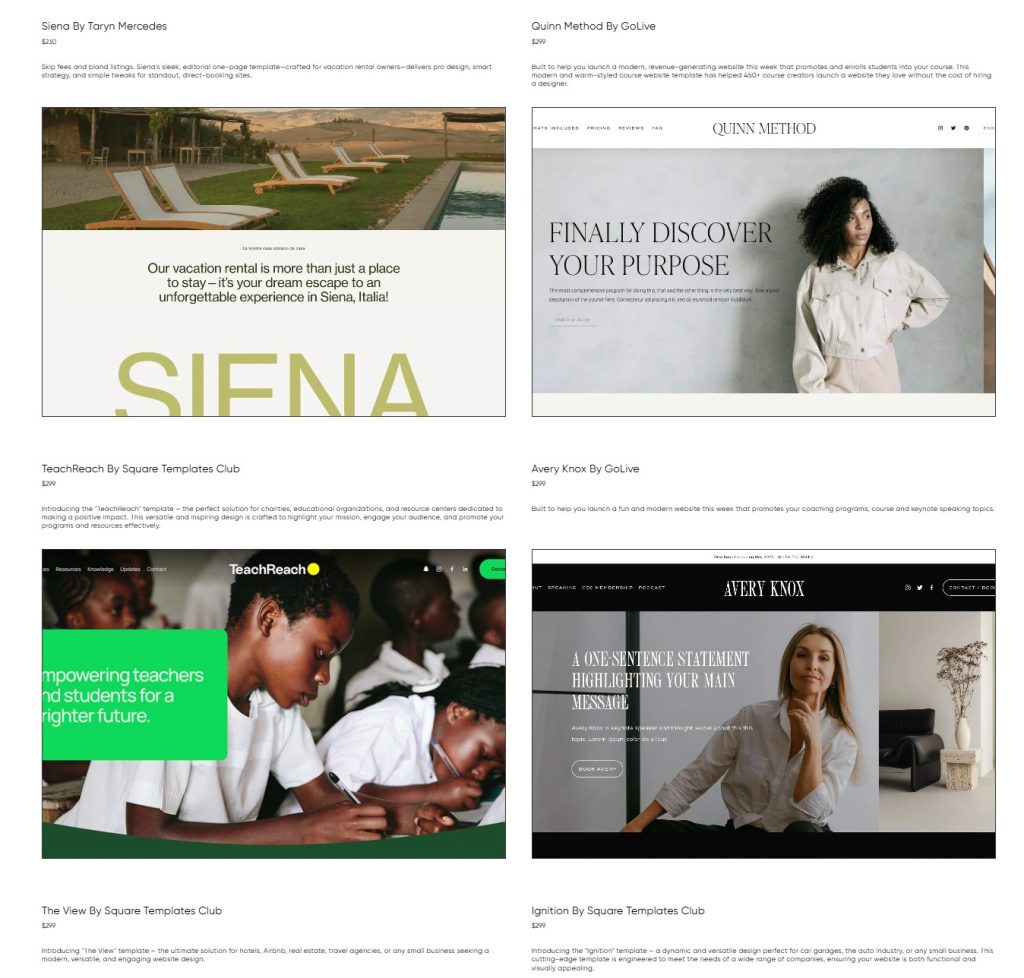
For any creative professional, a compelling online presence is nice to have. Think of your portfolio as more than just a folder of work—it’s your digital storefront, a personal gallery, and your best handshake all rolled into one. Whether you’re a writer, a designer, or a photographer, this is exactly how a client “meets” you before you even say hello.
While Squarespace is known for being the best for portfolios and creative professionals, the real magic happens when you move past the default settings. To get a portfolio that feels like you, you’ve got to explore the world of the best Squarespace templates and third-party plugins. It’s the difference between a standard webpage and a curated digital space that reflects your actual creative vision.
Why Your Squarespace Portfolio is Your Most Valuable Asset
Think of your online portfolio as your 24/7 diligent salesperson!
People judge a book by its cover. When someone lands on your page, they decide if you’re the right fit almost instantly. That’s why your portfolio has to do more than just display your work. A beautiful, art gallery vibe of your work is appreciated, but your page needs to narrate your journey and highlight your specific perspective as well.
It’s your 24/7 global calling card, letting you connect with employers in different time zones without you having to lift a finger. For service-based creatives, it’s undeniable proof that you can deliver. For artists, it’s your gallery to the world!
Squarespace website templates give you a great-looking starting point, but don’t just lean on the default settings. To really differentiate yourself, you need to think a bit deeper about the presentation. It’s the strategy behind the work, not just the “clean look,” that ultimately wins over a client.
Portfolio Templates: Your Starting Point for Impact
Squarespace’s built-in templates are famous for their elegance and how mobile-friendly they are. For portfolios, certain template families offer distinct advantages:
Montauk, Ishimoto, Wells: For visual artists or photographers who want large, striking image displays and minimal text interference.
Brine, Motto, Forte: For designers or agencies needing to present diverse case studies.
Bedford, Ready, and Skye work well for writers, illustrators, or anyone whose work requires context alongside imagery.
Pick a Squarespace template for portfolios that works with your content. A photographer usually needs plenty of white space and a solid grid to make those stills pop. But for motion designers, everything hinges on how the site handles video. The goal is for the website to support the work, not compete with it.
Elevating Your Portfolio with Squarespace Plugins and Customizations
While Squarespace provides a robust framework, plugins can push your portfolio beyond the standard. These are usually small pieces of code or integrations that add specific functionalities not native to your chosen template.
Enhanced Gallery Displays
Masonry grid plugins: For photographers and illustrators, a dynamic masonry grid that intelligently arranges images of different aspect ratios can look incredibly professional and organized. This creates a more engaging visual flow than standard grids.
Interactive and Engagement Tools
Client proofing galleries: For photographers, a password-protected client proofing plugin allows you to share draft work directly with clients for selection, streamlining your workflow.
Project filtering/categories: A plugin like Squarespace Filter Plugin-Universal Filter by Square Websites is useful when you start to collect (and finish) many projects. Visitors might want to filter by “logo”, “portrait,” or “web design” as your portfolio grows. These kinds of plugins can add sophisticated filtering options, making large portfolios manageable.
Custom forms and CTAs: While Squarespace forms are good, specific plugins can create more visually engaging or multi-step contact forms. This improves client inquiry rates.
SEO and Analytics Enhancements
Squarespace has good basic SEO. The basic tools are fine, but the best plugins for Squarespace go way deeper. Things like better analytics that actually show you what’s working. Automatic checkers catch dead links before a client sees them. Plugins provide you with way more control over your SEO metadata for every individual project.
Your work should be the star, period. Everything else is just supporting cast. To get there, you’ve got to think past the basic Squarespace look. Using custom templates for Squarespace and the right set of plugins is how you build a space that actually reflects who you are as a creator.
Investing in your portfolio is really about investing in yourself. Every little hover effect or smooth transition is a chance to show off your professionalism. Make sure those small moments add up to something memorable.
FAQs
1. How to choose the right template for my specific creative niche?
Your template should act like a frame for your work. For photography, that means giant galleries that fill the screen. For designers, it’s all about a versatile grid that handles images and text equally well. And if you’re a writer? Forget the fancy visuals—find a template that prioritizes sharp fonts and a clean layout to show off your copy.
2. Can I add special features to my portfolio without knowing how to code
You don’t need to be a coder to level up your site. While CSS is an option, most creatives just lean on plugins to handle the heavy lifting. It’s a way to get a custom, high-functioning portfolio without ever looking at a screen full of code.
3. Does a Squarespace portfolio help with my search engine ranking (SEO)?
Yes, but it will require some effort on your part as well.