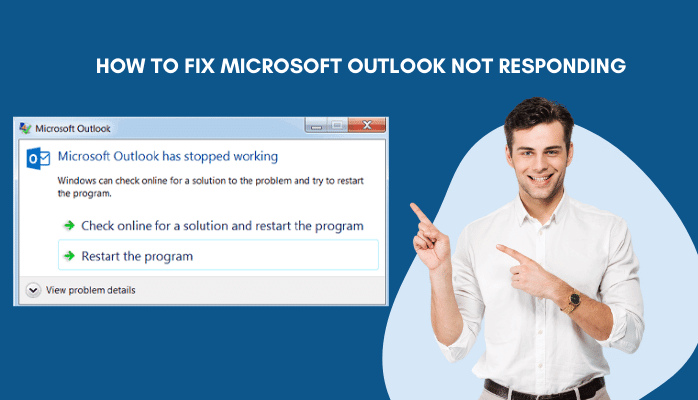
Do you want to know how to fix a Microsoft Outlook account not responding? When you have a Microsoft Outlook not responding error, your computer may freeze and then restart. For example, if you are working on an email message and it freezes up, then your computer will probably restart automatically. If this happens when you open the calendar, the event will be removed from the calendar and you will need to find it again.
Troubleshooting Microsoft Outlook not responding
If your Microsoft Outlook is not responding, there are a few things you can try to fix the issue.
- First, make sure that Outlook is up-to-date. You can do this by opening Outlook and going to Help > Check for Updates. If there are any updates available, install them and then restart Outlook.
- Next, try restarting your computer. This will often fix any software issues that may be causing Outlook to stop responding.
- If neither of these solutions work, you may need to uninstall and then reinstall Outlook. This is a more drastic solution, but it can often fix more serious problems.
- Before you uninstall Outlook, be sure to back up your data first. That way you won’t lose any important information if the uninstall process doesn’t go as planned.
- Once you’ve uninstalled Outlook, restart your computer and then reinstall it from scratch. Be sure to install the latest version of Outlook so you don’t run into the same problem again.
What is the problem?
If your Microsoft Outlook is not responding or Outlook keeps crashing, it could be because of a few different things. Maybe you’re not connected to the internet, or your computer’s resources are all being used up by other programs. There are a few things you can try to fix this issue.
First, make sure that you’re actually connected to the internet. If you’re using a wireless connection, sometimes those can be spotty and you might need to move closer to the router or connect directly with an Ethernet cable.
If you are connected to the internet, then it might be an issue with your computer’s resources. If you have a lot of programs running at the same time, that can use up a lot of memory and processing power, which can make Outlook run slowly or not respond at all. Try closing some of your other programs and see if that helps.
If neither of those solutions work, then there might be something wrong with Outlook itself. If the problem persists, try restarting the software. If not, you might need to uninstall and then reinstall Outlook.
Solution 1: Do a system restart
If Microsoft Outlook not responding, the first thing you should try is a system restart. This will usually fix the problem.
If a system restart does not fix the problem, the next thing you should try is uninstalling and then reinstalling Microsoft Outlook. This will usually fix any corrupt files that may be causing the problem.
If neither of these solutions work, you may need to contact Microsoft for further support.
Solution 2: Delete your outlook account and create it again
If you are getting the “Microsoft Outlook not responding” error, there is a simple fix that you can try.
- First, open the Control Panel and go to the Mail applet.
- Next, delete your Outlook account and then recreate it. This should fix the problem.
If this doesn’t work, you can try deleting the Outlook profile from the registry.
- To do this, open the Registry Editor and go to the following key:
HKEY_CURRENT_USER\Software\Microsoft\Office\16.0\Outlook\Profiles
Under this key, you will see a list of profiles. Delete the one that corresponds to your Outlook account. After doing this, restart Outlook and it should work correctly.
Solution 3: Download outlook offline installer and install it
Microsoft Outlook is a widely used email client that helps users manage their emails, contacts, and calendar. However, sometimes Outlook not responding when you click on it. This can be frustrating, but there are a few things you can do to fix the problem.
- First, try restarting your computer.
- If that fails, try to start Outlook in Safe Mode.
- To do this, go to the Start menu and type “outlook.exe /safe” (without the quotes).
- This will launch Outlook with only the bare minimum of programs running. If Outlook opens in Safe Mode, then there is probably an issue with one of your add-ins.
- To fix this, go to File > Options > Add-Ins and disable all of your add-ins. Then restart Outlook and see if the problem persists.
If Outlook still isn’t responding, then the next step is to delete your Outlook profile. To do this, go to Control Panel > Mail > Show Profiles. Choose the profile you want to delete and click on the Remove button after selecting. Once you’ve deleted your profile, restart Outlook and it will create a new one for you.
If you’re still having issues, then the final step is to uninstall and reinstall Outlook application.
Conclusion
If Outlook not responding, there are a few things you can try to fix the issue. Sometimes restarting Outlook can fix the problem. If that doesn’t work, you can try resetting the Navigation Pane. If neither of those solutions work, you may need to repair your Outlook data file. Hopefully one of these solutions will help you get Outlook up and running again.