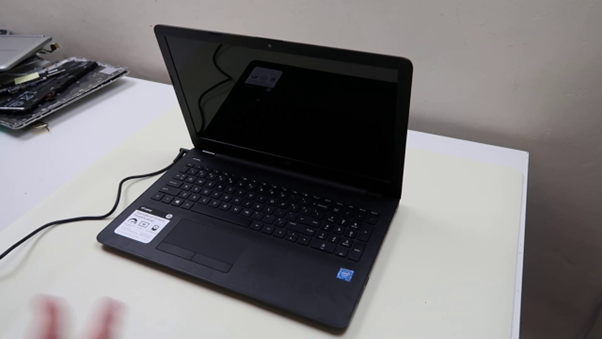
Professional Rescue Advice -Fix a Laptop that Refuses to boot. A broken-down laptop is a disaster of work, school, and life in general. Unless your laptop won’t turn on, or it is stuck during the booting process, there are some higher-order methods of troubleshooting that would prove beneficial. There are also basic power problems and others are hardware or software failures.
Before replacing the device, it is worth trying proven repair steps. If professional help is needed, DRA-3C provides dependable laptop repair services for boot issues, black screens, battery faults, and motherboard problems.
What Does “Won’t Boot Up” Mean?
A laptop that won’t boot may show different symptoms:
- No response at all
- Power light turns on but no display
- Logo appears then freezes
- Endless restart loop
- Black screen after startup
- Beep sounds during startup
Is your Laptop don’t turn on? Find out the exact reasons that help locate the cause.
1. Check Power First
You should start with the very basics steps.
What to inspect:
- Charger connected securely
- Wall outlet working
- Charging light visible
- Battery installed correctly
In the list, the Power supply issue is the main and the most common problem that laptops fail to boot.
2. Perform a Hard Reset
Residual electricity can interfere with startup.
Steps:
- Disconnect charger
- Remove battery if possible
- Hold power button for 20 seconds
- Reconnect charger
- Start the laptop again
This method often resolves minor startup faults.
3. Remove External Devices
USB devices can sometimes block the boot process.
Disconnect:
- USB drives
- External keyboard
- Mouse
- Printer
- SD cards
Then restart the laptop.
4. Check the Screen
Sometimes the laptop won’t turn on appears to be the problem, but only the display has failed.
Look for:
- Fan spinning
- Keyboard backlight
- Startup sound
- External monitor output
If the screen of the laptop works, then you need to fix the laptop display.
5. This step is involved to Listen for Beeps or blinking
Many laptops give hardware warning signals.
These may indicate:
- RAM failure
- Graphics issue
- BIOS problem
- Motherboard error
Checking the model manual can explain these signals.
6. Repair Boot Files or Operating System
IF laptop power button is on but not loading the window, then the window crash may be responsible.
Possible solutions:
- Startup repair tools
- Safe mode boot
- System restore
- OS reinstallation
Must try to backup your important file for the safety.
7. Check Internal Hardware
If your laptop won’t turn on after all basic steps, hardware may need inspection.
Common failing parts:
- RAM
- SSD / hard drive
- Cooling fan
- Battery
- Motherboard
Technicians can test and replace damaged parts safely.
DRA-3C Laptop Repair Services
Instead of buying a new laptop immediately, professional repair can save money. DRA-3C offers complete laptop troubleshooting and repair solutions.
Services include:
- Startup diagnostics
- Battery replacement
- SSD upgrades
- RAM replacement
- Screen repair
- Motherboard repair
- Data recovery
- General maintenance
Prevent Boot Problems in Future
Use these expert tips:
- Keep software updated
- Avoid forced shutdowns
- Protect from overheating
- Use quality chargers
- Clean vents regularly
- Back up data frequently
Final Thoughts
Having trouble with your laptop because laptop won’t turn on start or does not boot-up correctly, often most problems can be resolved step-by-step in the process of troubleshooting. Begin with power checks, hard reset, display testing and device removal. If the problem remains, DRA-3C can provide expert laptop repair services to restore your system quickly and professionally.