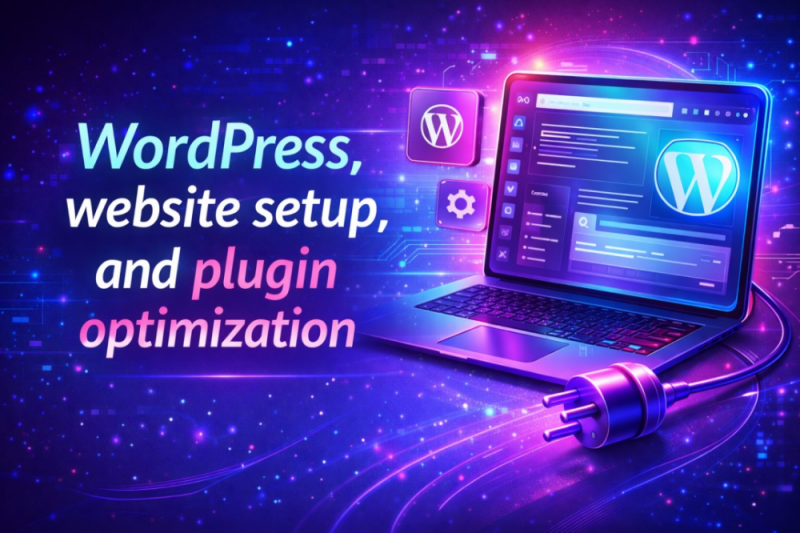
WordPress, Website Setup, and Plugin Optimization
In the rapidly evolving era of digital transformation, a website is no longer just a digital brochure; it is a high-performance engine designed to drive engagement, conversions, along with brand authority. WordPress remains the definite leader, powering nearly half of the internet. However, the difference between a site that wins and fails is mainly dependent on the accuracy of its initial setup and the strategic optimization of the plugin ecosystem. The guide explores how to build a robust foundation and fine-tune your WordPress site for maximum efficiency.
1. The Strategic Foundation for Website Setup
A professional WordPress site begins long before the first post is published. The setup phase shapes the site’s scalability, security, as well as speed.
Infrastructure and Hosting
The cheap shared hosting era has largely disappeared for serious businesses. The gold standard is Managed WordPress Hosting or Cloud-native environments such as DigitalOcean or AWS, which are designed specifically for optimized performance for PHP and MySQL.
- Edge Computing: Modern hosts offer edge delivery in which your site’s core files are cached globally, helping to reduce the time to first byte to milliseconds.
- PHP Versioning: Always use the latest version because it ensures your server runs the latest stable version of PHP, as each version jump typically offers a 10–20% performance boost.
Core Configuration Secrets
Once WordPress is installed, immediate strengthening and configuration is required:
- Permalinks: Shift from the default structure as it is the single most important step for SEO and human-readable URLs.
- Search Engine Visibility: During development, ensure the discourage search engines box is checked, but create a calendar reminder to uncheck it upon launch.
- Timezone and SSL: Force HTTPS sitewide. Google and other AI-driven search engines now penalize any site without a valid, auto-renewing Encrypt SSL certificate.
2. The Art of Plugin Optimization
Plugins are the apps of WordPress as they provide incredible functionality. Additionally, they are also the leading cause of site crashes, security breaches, as well as slow loading speeds.
The Plugin Bloat Myth vs. Reality
It is not necessarily the number of plugins that slows a site down, but the quality and weight of those plugins. One poorly coded plugin can do more damage than twenty lightweight, well-optimized ones.
- Audit: Every 90 days, perform a plugin audit. If a plugin has not been updated by the developer in over a year, find a replacement.
- Functional Overlap: Always ensure that you do not have two plugins doing the same job.
The Essential Lean Stack
To maintain a high-performance site, your core stack should include:
- Security: Focus on real-time vulnerability monitoring to increase safety.
- Performance: An all-in-one solution for caching and file optimization helps to increase performance.
- Backups: Always store backups on a third-party cloud, and never on your own server.
3. Maximizing Performance: Speed and Core Web Vitals
The user patience is at an all-time low. If your site takes longer than two seconds to load, you lose approximately 40% of your potential audience.
Image Optimization with WebP/AVIF Standard
Standard JPEGs along with PNGs, are outdated. Focus on using an optimization plugin such as Imagify or ShortPixel to automatically convert images to WebP or AVIF formats. The tools offer superior compression without losing visual quality.
- Lazy Loading: Always ensure that the images only load as the user scrolls down to them. This helps to save bandwidth and improve the largest contentful paint metric.
Database Hygiene
Your WordPress database stores every comment and revision. Over time, this data slows down server queries.
- Post Revisions: Limiting WordPress to storing only 3–5 revisions per post helps in boosting efficiency.
- Optimization Tools: Use WP-Optimize to clear out overhead in your SQL tables weekly because a clean database means faster data retrieval and a snappier admin dashboard.
4. Security Hardening in an AI-Driven Era
As cyber threats become more sophisticated using AI, your WordPress site must be strong.
Beyond the Password
- Multi-Factor Authentication: The multi-factor authentication is no longer optional, and every administrator account must require a mobile app code or hardware key to log in.
- Login URL Masking: Change your login page to something unique because it stops 99% of bot attacks instantly.
- Activity Logs: Always use a plugin like WP Activity Log to see exactly who changed what and when.
5. Mobile-First and Accessibility Optimization
While most of the web traffic is coming from mobile devices, your Website Setup must prioritize the small screen.
Responsive Design vs. Adaptive Loading
It is not enough for your theme to be responsive. Use Asset CleanUp to prevent specific scripts from loading on mobile devices if they are not needed. For instance, a complex Contact Us map does not need to load its heavy JavaScript on the mobile homepage.
6. Conclusion
Thus, mastering WordPress, website setup, and plugin optimization is a continuous ride. Also, a site built on a solid hosting foundation as well as protected by modern security protocols will consistently outperform the competition.
The most successful websites are those that prioritize the user experience through speed and stability, which is achieved by auditing plugins regularly, keeping the database lean, and embracing modern image formats. This factor ensures that your WordPress site remains a powerful, secure, and highly visible asset in an increasingly crowded digital world.